
Lead management software
Lead management software without spreadsheets or forgotten follow-ups
A lost lead is rarely a bad prospect: it is a follow-up that never happened. CRMlead starts from one simple rule, an open lead always has a dated next action, and builds all of its lead management around it.
Capture leads from every channel
Leads come in through your website form, connected to the CRM; through your connected mailbox, when a known contact writes to you; through the online booking page; through ScanLead for trade show contacts; or through an Excel or CSV import.
A lead only needs a title, for example “Smith website”. The rest is filled in when you have it. Duplicate detection keeps you from having the same company twice.
- Website form, mailbox, booking, import
- noCRM.io, Pipedrive and HubSpot exports recognised
- Duplicate detection across the whole database
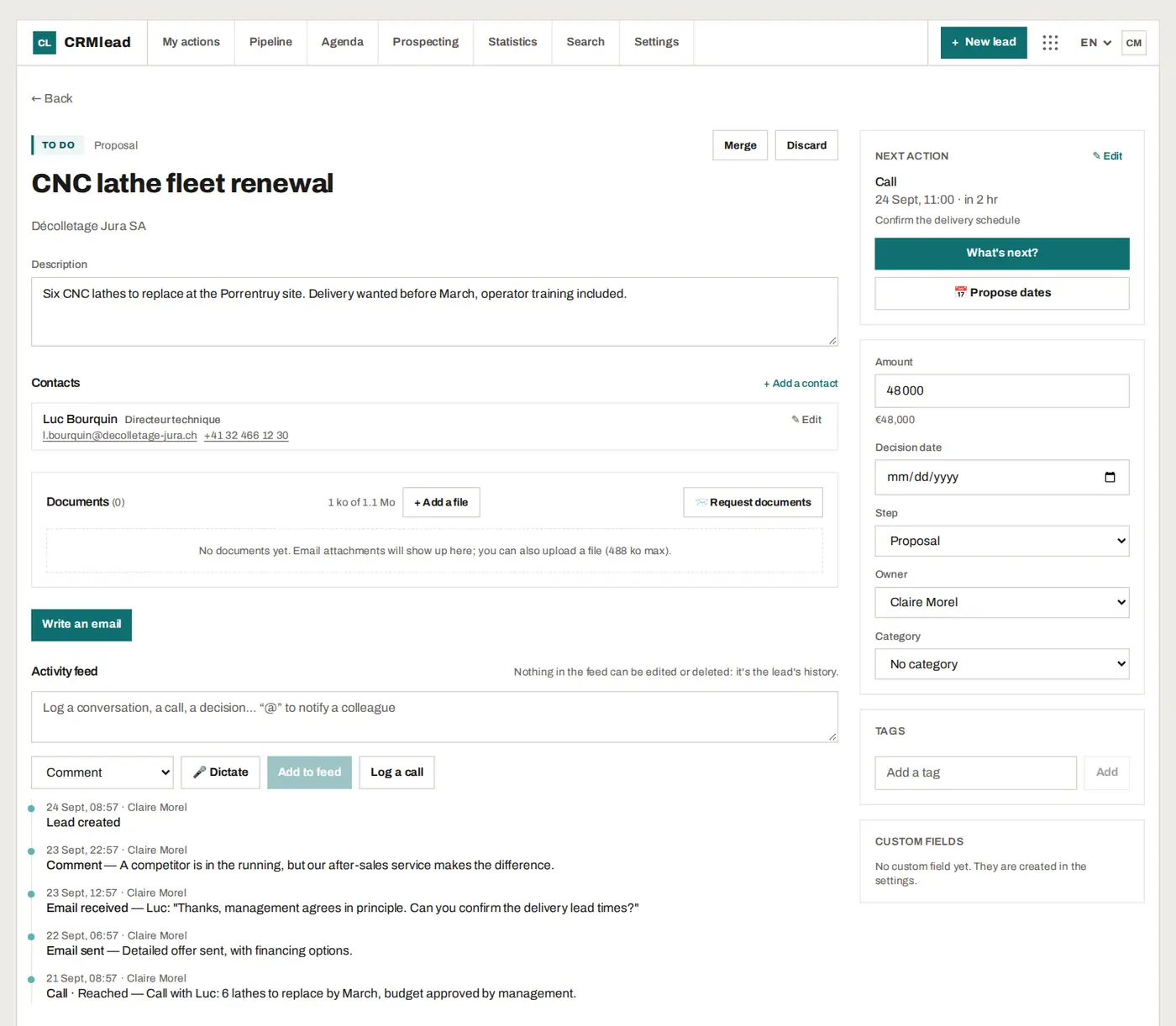
Follow up: always a next action
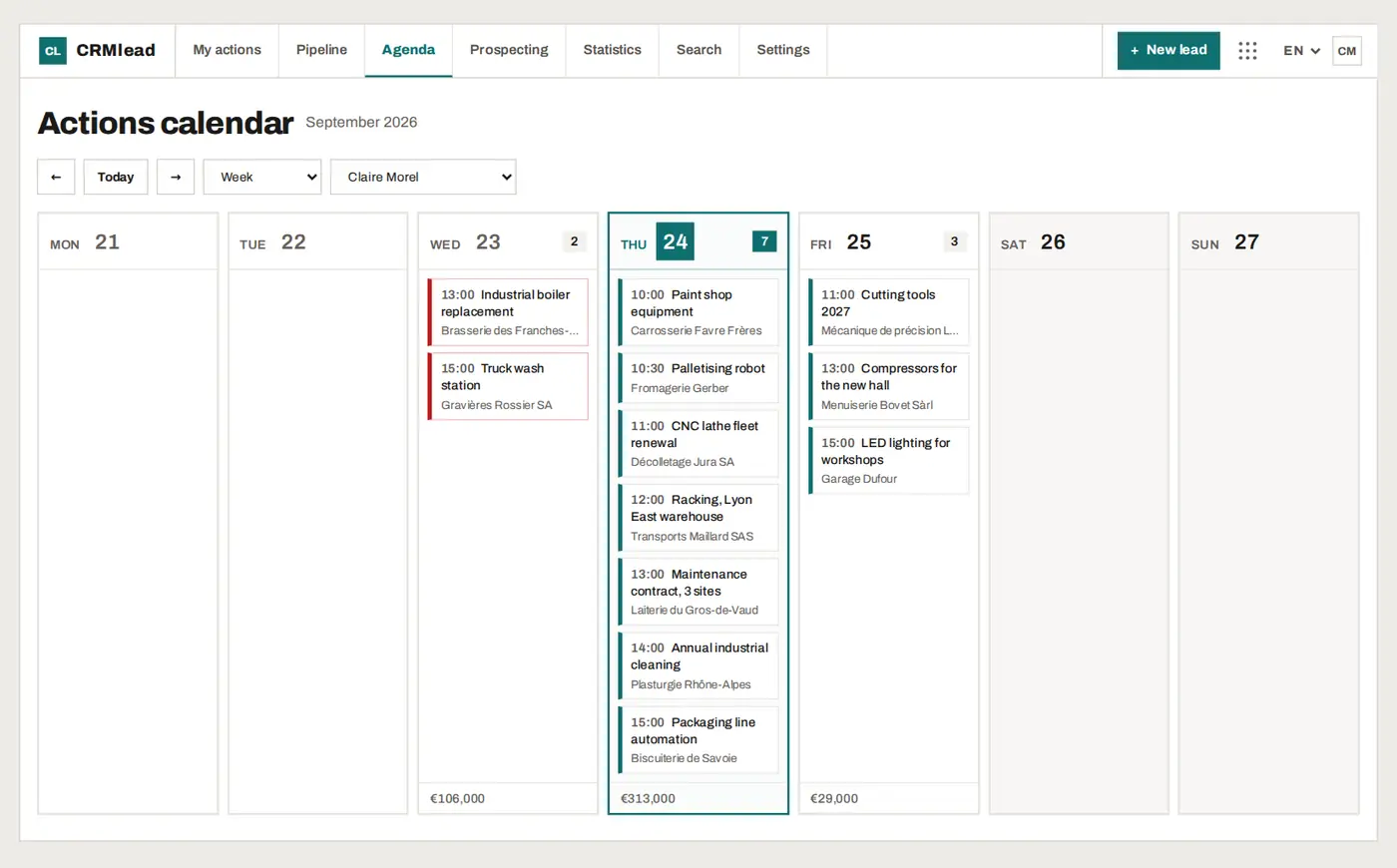
Call, write, meet or do a task: every open lead carries a dated action. “My actions today” turns them into your morning list, with overdue items on top. The calendar shows the week action by action, with the amount at stake each day.
A deal waiting for the customer's decision can be put on standby until a date: it leaves the list and comes back on the right day. Former customers and old lost deals come back in “To pick back up” when it is time to get back in touch.
Qualify and close
The kanban pipeline shows where every lead stands. Tags, custom fields, checklists and qualification scripts keep useful information in one place. At the end, the lead is won, or lost with a reason, and the statistics tell you at which stage and why deals are lost.
On every lead, the AI analysis reads the conversation, summarises it and suggests the next action. If the conversation contradicts the record (amount, decision date, stage), it suggests the update: nothing changes without your click.
- Drag-and-drop pipeline, renamable stages
- Loss reasons and funnel by stage
- AI analysis of conversations, always approved by you
The AI assistant for repetitive work
The AI assistant, open in a corner of the screen, reads your leads and answers your questions (“what are my overdue actions?”, “summarise my pipeline by stage”). When you ask it for a change, it prepares a “To confirm” card that shows everything that will be written: one click on “Confirm” applies it. Several changes fit in a single card, applied in full or not at all.
It deletes nothing, sends no email and changes no subscription: for those actions, it explains and opens the right screen.
FAQ
What is the difference between a lead and a contact in CRMlead?
The lead is the deal to follow up (“Smith website”); the contact is the person. A lead can have several contacts, and the lead carries the next action, the amount and the stage.
Is the lead management software free?
Yes, up to 50 leads for one user, with every feature and no time limit. Beyond that, Pro costs €19 a month excl. VAT with unlimited leads.
Will an import flood my calendar?
No. Imports spread the first actions over the following working days: each morning, a list you can actually get through.
Can I export my leads?
Yes, at any time: a full export in JSON or CSV from the settings, whatever your plan.
No lead left without a next step.
Create your free account and import your leads: the preview shows everything before writing.