
CRMlead vs Pipedrive
CRMlead or Pipedrive: which one for a small business?
Pipedrive is a very complete pipeline CRM, designed for sales teams of every size. CRMlead is aimed at small businesses and freelancers who want the essentials of sales follow-up without paying for each feature plan by plan.
CRMlead and Pipedrive, point by point
| CRMlead | Pipedrive | |
|---|---|---|
| Free plan | Yes: 50 leads, 1 user, no time limit | No: 14-day trial, no card |
| Entry price | Pro: €19 a month (€190 a year), unlimited leads | Lite: €24 per user per month (€14 billed annually) |
| Team of 5 | Pro+: €39 a month for the whole account | Growth: 5 × €49 = €245 a month (5 × €39 billed annually) |
| Synced email | Every plan | From Growth |
| Automations | Every plan | From Growth (50, then 150 and 250) |
| Email sequences | Every plan | From Growth |
| Online booking | Every plan | From Growth |
| AI | Conversation analysis and reply drafts in every plan | AI reports everywhere; email writing and summaries from Premium |
| Pipelines | One pipeline, stages in your own terms | Unlimited |
| Interface languages | 5 | 24 |
Checked on 25 September 2026 on the official websites; prices excl. VAT, per user per month unless stated otherwise. Vendors' prices and plans may change: check them on their websites.
The same drag-and-drop pipeline, not the same team price
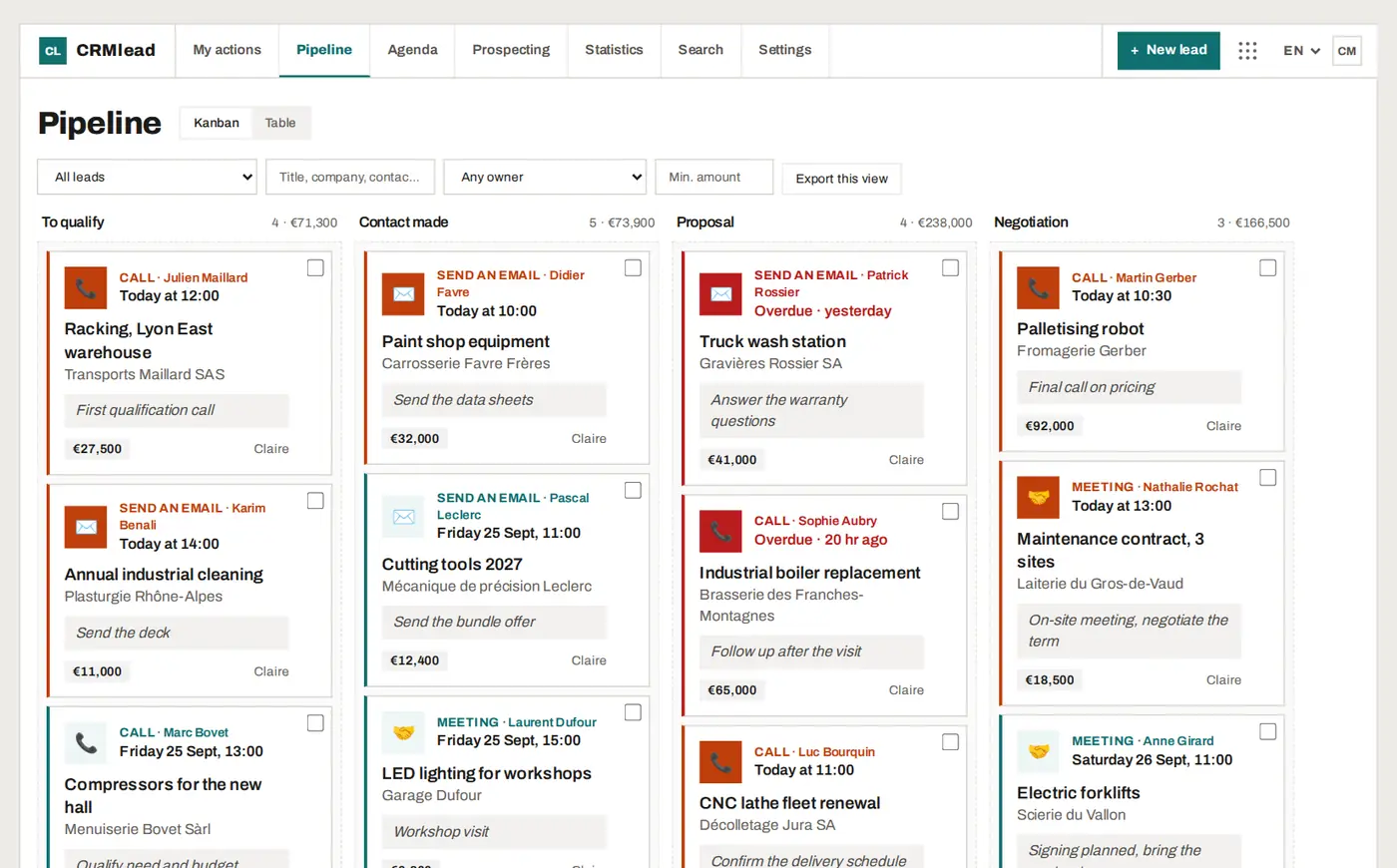
Both tools are built on a kanban pipeline where you drag deals from one stage to the next, with their amount. The difference lies in the pricing model: Pipedrive charges per user and keeps synced email, automations and online booking for its Growth plan and above. CRMlead puts every feature in every plan, and Pro+ covers up to 5 users for a single price.
For a team of five salespeople, that comes to €39 a month with CRMlead, against €245 a month with Pipedrive on the Growth plan, billed monthly.
Always a next action
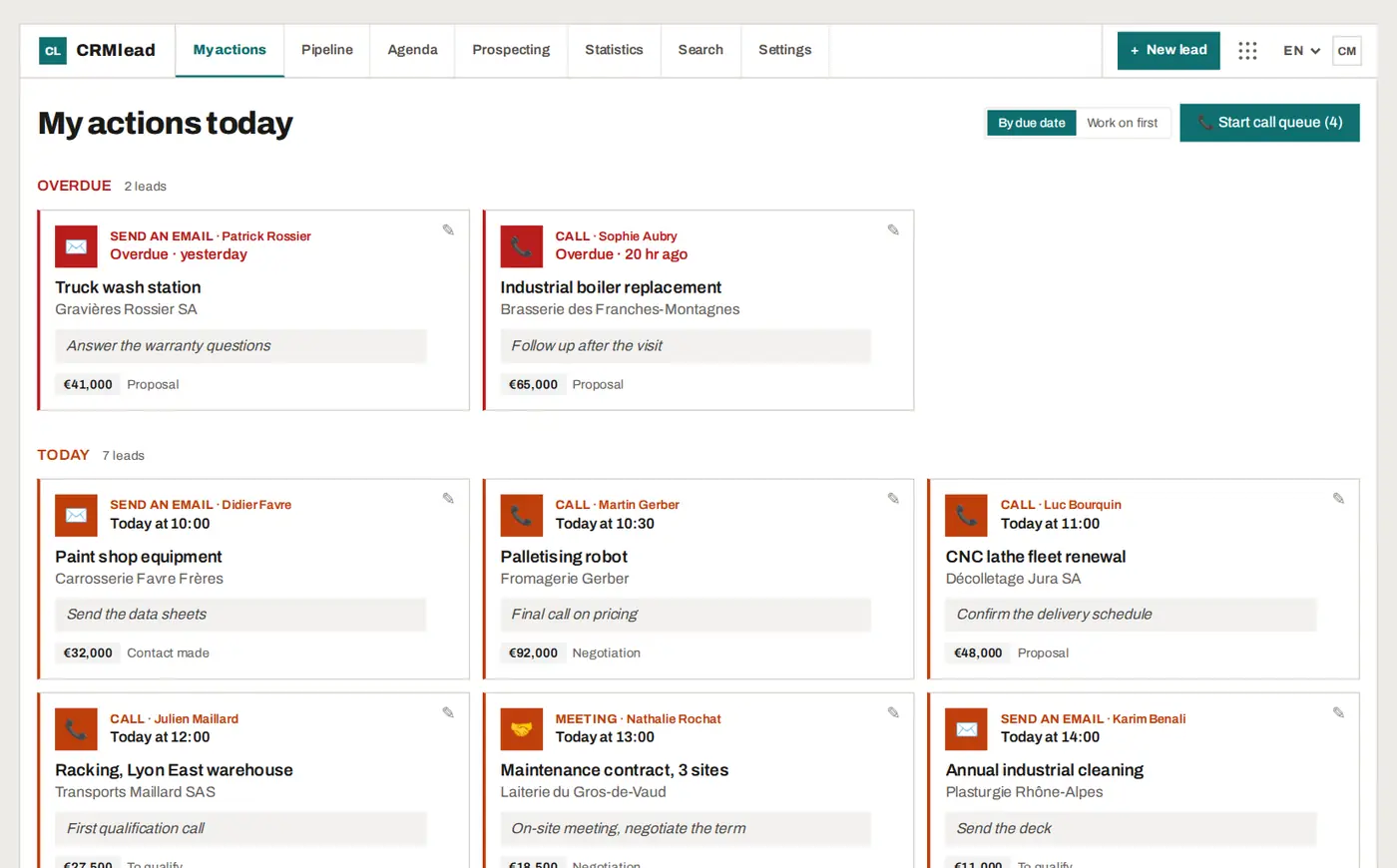
CRMlead is built around one rule: no open lead without a dated action. “My actions today” gives everyone their morning list, overdue items first, and reminders arrive as notifications on the phone. The call queue runs through your callbacks without you hunting for the next number.
Switching from Pipedrive to CRMlead
The Pipedrive export is recognised by the CRMlead import: the columns map themselves, a preview flags duplicates, and nothing is written until you give the go-ahead. You can compare on your first 50 deals on the free plan, with no card.
When Pipedrive is still the better choice
Pipedrive handles multiple pipelines and offers an extensive integrations marketplace, an interface in 24 languages, and advanced lead generation, scoring and e-signature features in its higher plans. For a large team or multiple sales processes, those strengths matter. CRMlead is simpler, and currently stops at 5 users per account.
FAQ
Does CRMlead have a free plan, unlike Pipedrive?
Yes: up to 50 leads for one user, every feature included, no card and no time limit. Pipedrive offers a 14-day free trial.
Can I import my Pipedrive data?
Yes. The Pipedrive export is recognised, with a preview and duplicate detection before the import.
Does CRMlead have a mobile app?
CRMlead installs from the browser onto your phone's home screen, no app store needed, and sends reminders as notifications.
How many users does CRMlead allow?
One on Free and Pro, up to 5 on Pro+. For a larger team, Pipedrive has no such cap.
Compare on your own pipeline.
Import your Pipedrive export and try CRMlead free, no card needed.