CRM for small businesses · Pipeline · Today's actions

The CRM that leaves no lead without a next step.

Every lead always has a next action. Each morning, CRMlead tells you who to call, who to write to and what to close. Your pipeline moves with the mouse, and your emails file themselves on the right lead.

No card. Free up to 50 leads, with no time limit.

The CRMlead pipeline: four stages, leads with their next action and amount

The film

Your sales week at a glance.

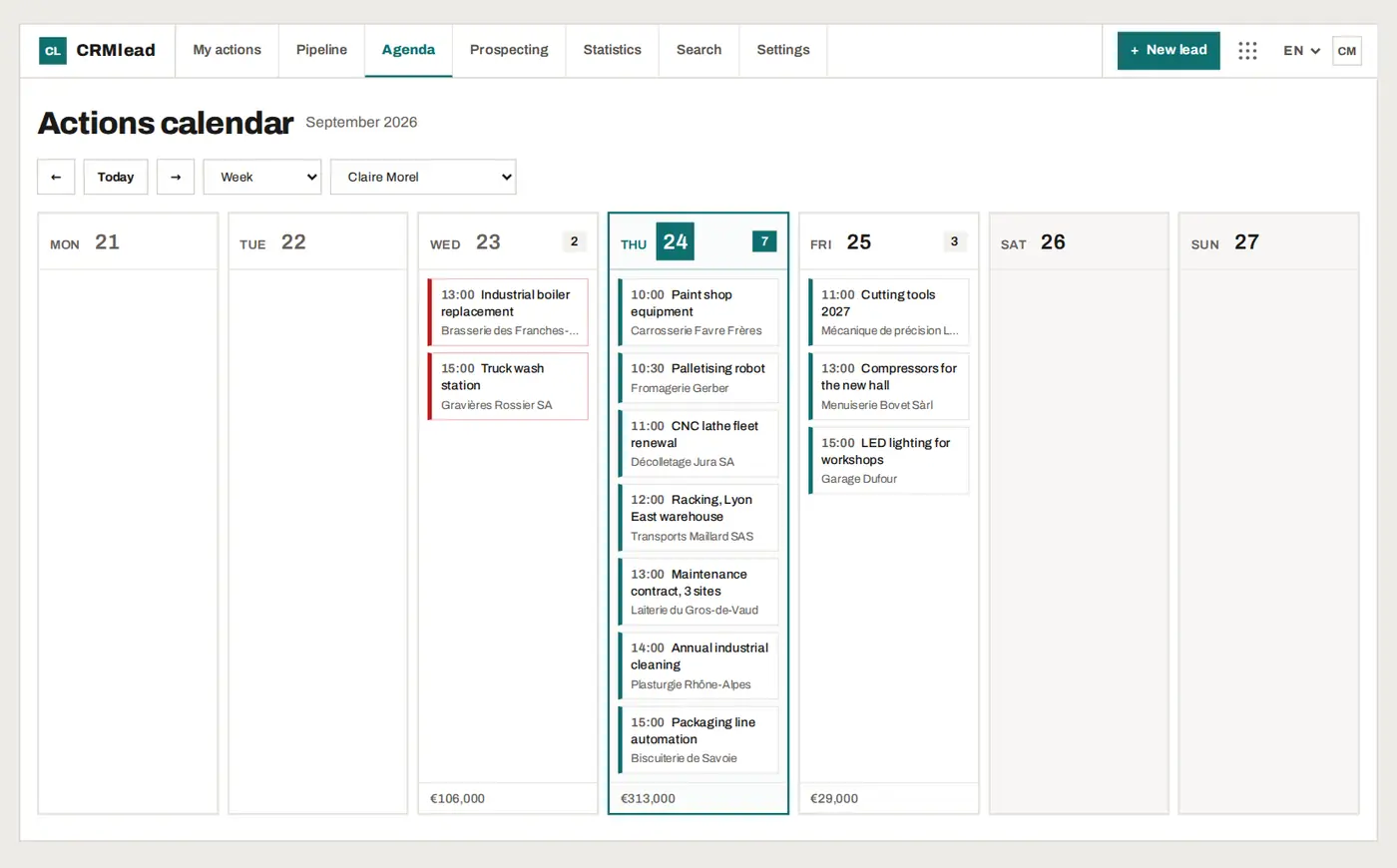
Every scheduled action, day by day, with the amount at stake. Overdue items stand out in red.

The CRMlead action agenda: one week, action by action, with each day's amount

How it works

Three steps. No lead forgotten.

01

Capture

Leads come in through every door, and a lead only needs a title: the rest can be filled in later.

  • Your website form, linked to the CRM
  • Connected mailbox: emails attach to the right lead
  • Excel or CSV import; noCRM.io, Pipedrive and HubSpot exports recognised
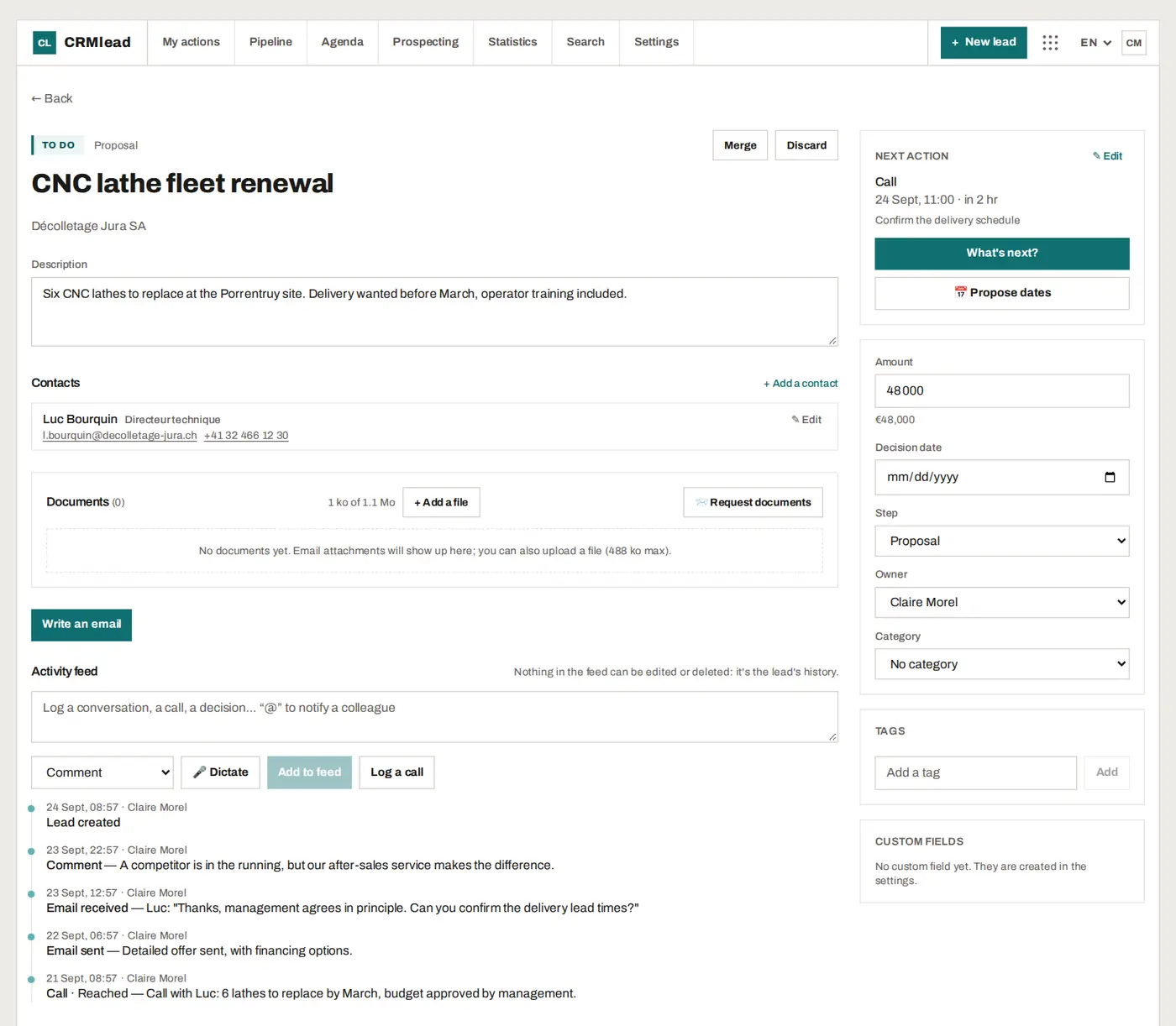
A lead record: description, contact, activity feed with emails and calls

02

Follow up

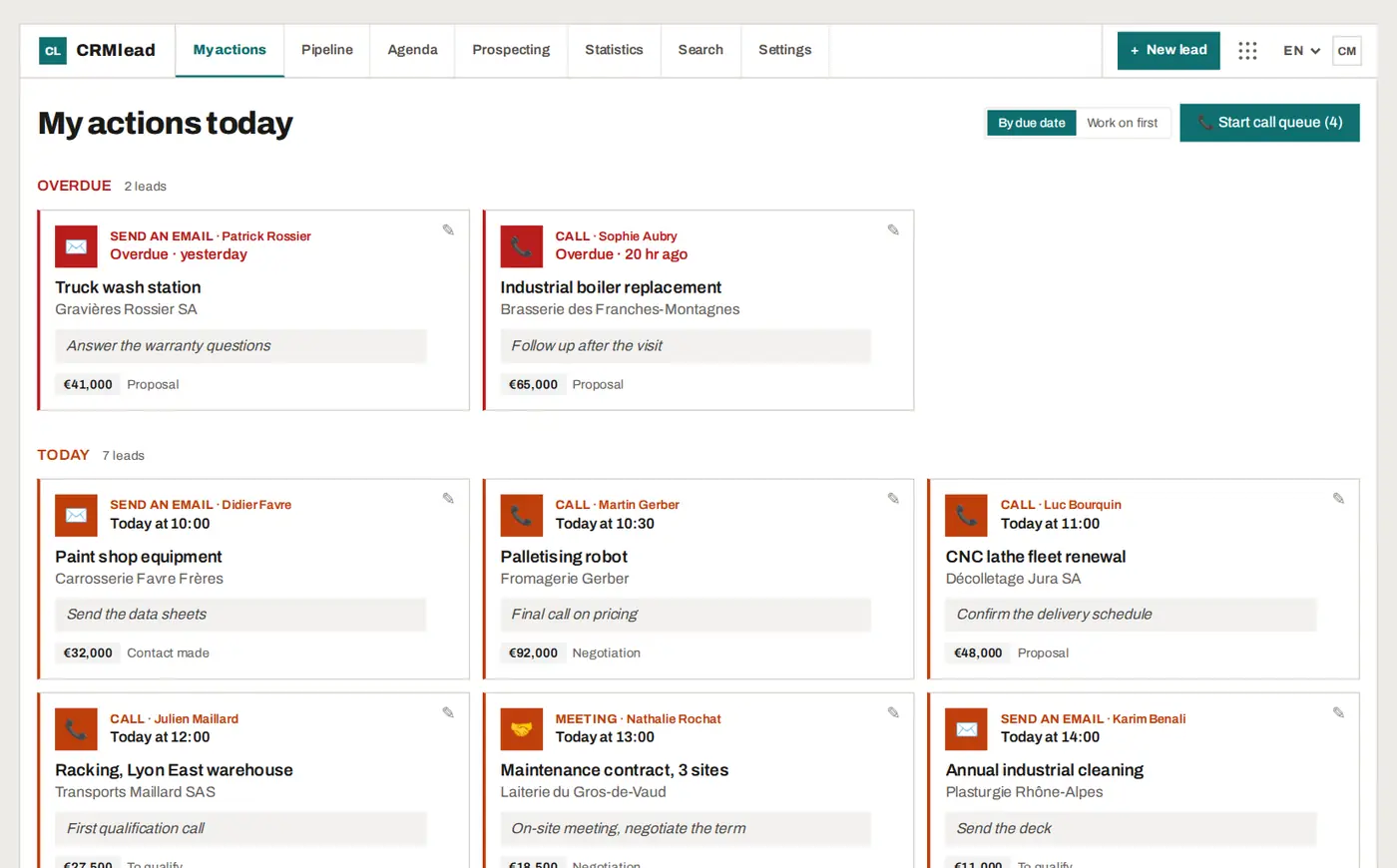
A lead never sits without a next action. "My actions today" turns them into your morning list.

  • Overdue, today, this week: everything sorted
  • Call, write, meet: one dated action per lead
  • Kanban pipeline with drag and drop
  • Call queue to work through your callbacks
My actions today: overdue leads and today's leads, with the action to take

03

Close

AI reads the conversation and suggests what comes next. Clients pick their own slot. The numbers show what works.

  • AI analysis of conversations and reply drafts, always reviewed by you
  • Online booking page
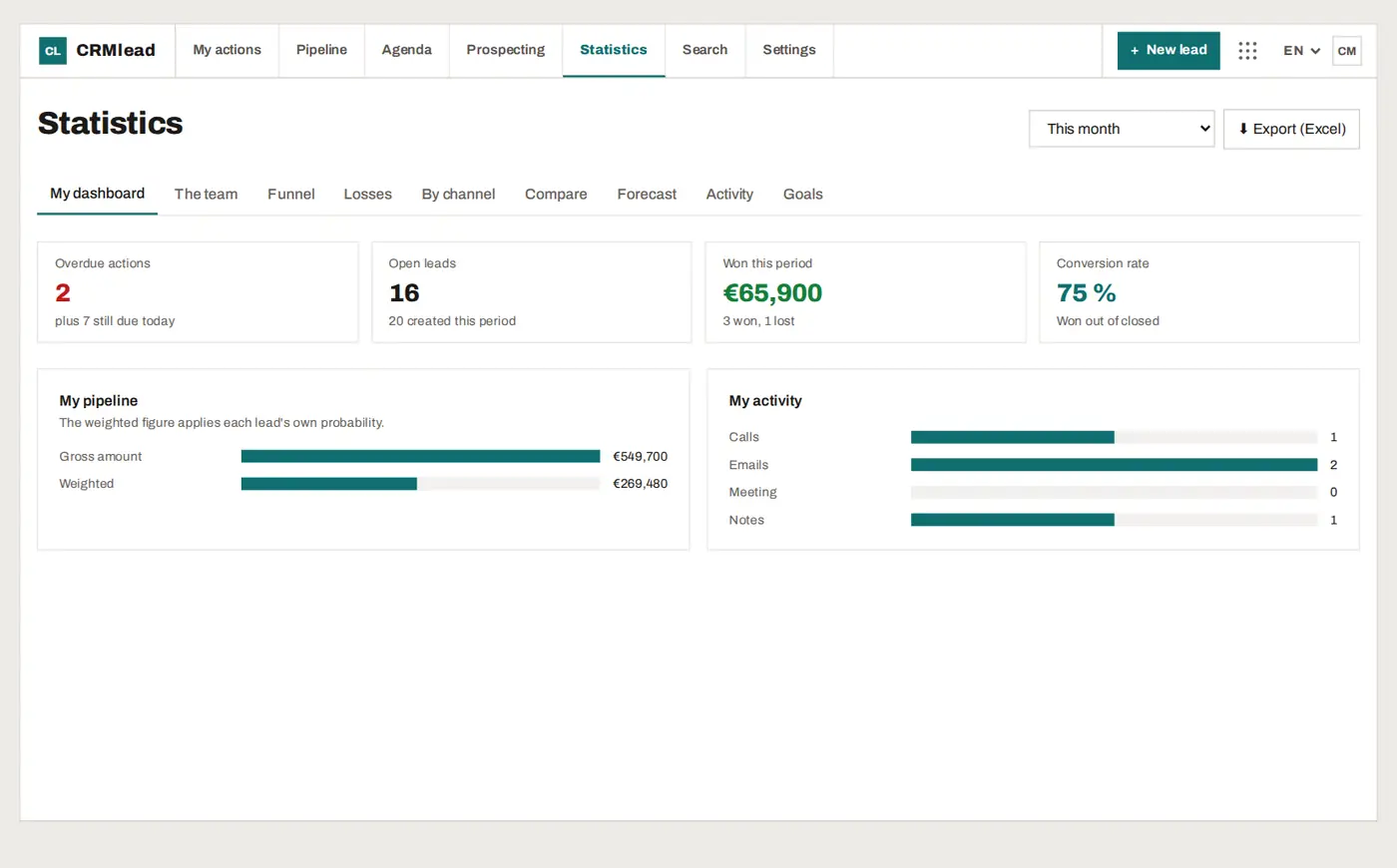
  • Statistics: funnel, losses, channels, forecast, targets
CRMlead statistics: overdue actions, open leads, amount won, conversion rate

Why CRMlead

What changes from day one.

A lead in ten seconds

Only the title is required. Contact, amount and company can follow when you have them.

Always a next action

Every open lead carries a dated action. Nothing sleeps at the bottom of a spreadsheet.

A pipeline you drag

A clear kanban: drag the card from one stage to the next, and the totals follow.

Your emails in the right place

Gmail, Microsoft 365 or IMAP: conversations with your contacts show up on their lead.

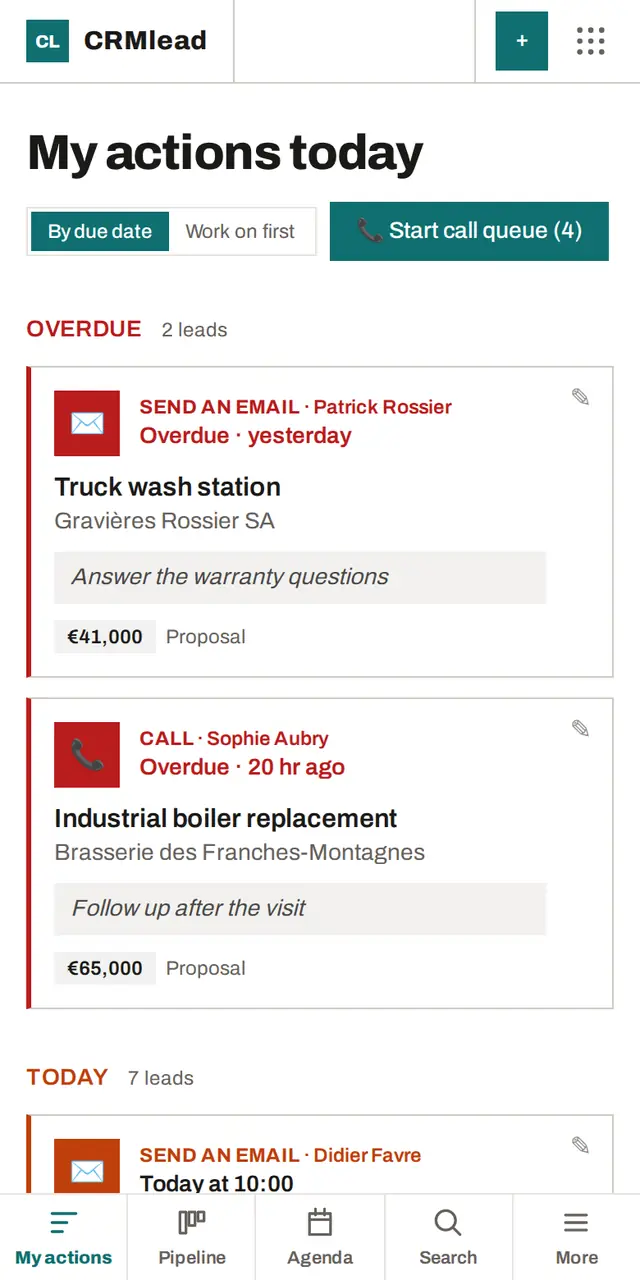
On your phone

CRMlead installs from the browser, no app store needed, and notifies you of your reminders.

In five languages

English, French, German, Spanish and Italian. Everyone works in their own.

Your Scanlead contacts, in one click

Paste your Scanlead API key once: your trade-show contacts arrive in CRMlead, with no duplicates.

Your data stays yours

Export at any time. No reselling, no advertising, no AI training on your conversations.

Pricing

Free to start. Pro when you grow.

No card at sign-up. No commitment.

Free

To get started, and to stay if it's enough.

€0no time limit

  • Up to 50 leads
  • No time limit
  • Every CRMlead feature
  • 1 user
Create my free account

Pro

For solo sellers, with no cap.

€19/ month excl. VAT

  • Unlimited leads
  • 1 user
Choose Pro

Pro+

Most popular

For a small sales team.

€39/ month excl. VAT

  • Everything in Pro, plus:
  • Up to 5 users
Choose Pro+

Every feature is in every plan: only the number of leads and people changes.

Past 50 leads on the free plan, nothing is lost: you can read, edit and export everything. Only creating a new lead requires Pro.

Prices excl. VAT. Secure payment via Stripe. Cancel anytime.

FAQ

Straight answers.

Is CRMlead really free?

Yes. No card at sign-up, no time limit. The free plan handles up to 50 leads for one user, with every CRMlead feature.

What happens when I reach 50 leads?

Nothing is lost or locked: you can read, edit, follow up and export all your leads. Only creating a 51st lead requires Pro. Leads in the trash don't count, and leads coming from your prospects (booked meetings, your website form) keep arriving.

Where is my data?

Each account is isolated in the database, connections are encrypted and passwords are never stored in clear text. We sell no data and train no AI on your conversations. The providers that host and process data, with their countries, are listed in the privacy policy.

Can I import my existing leads?

Yes, from an Excel or CSV file. Exports from noCRM.io, Pipedrive and HubSpot are recognised and their columns map themselves. You see a preview, with duplicates flagged, before anything is written.

How does it work with Scanlead?

Scanlead captures contacts at trade shows, CRMlead follows them through to signature. With a Scanlead Pro or Pro+ plan, your contacts come into CRMlead in one click: Settings → Integrations, Scanlead API key.

Can I cancel anytime?

Yes, with no commitment or penalty. Your account then goes back to the free plan: your leads stay readable and exportable.

Does CRMlead work on a phone?

Yes. CRMlead installs from the browser onto your phone's home screen, no app store needed. Today's actions, the pipeline and the agenda sit under your thumb, and reminders arrive as notifications.

Which languages?

English, French, German, Spanish and Italian. Each user picks their own, and the starting pipeline is created in the account's language.

Your next lead deserves a follow-up.

Your account is ready in a minute. The first lead only needs a title.

No card. Free up to 50 leads, with no time limit.